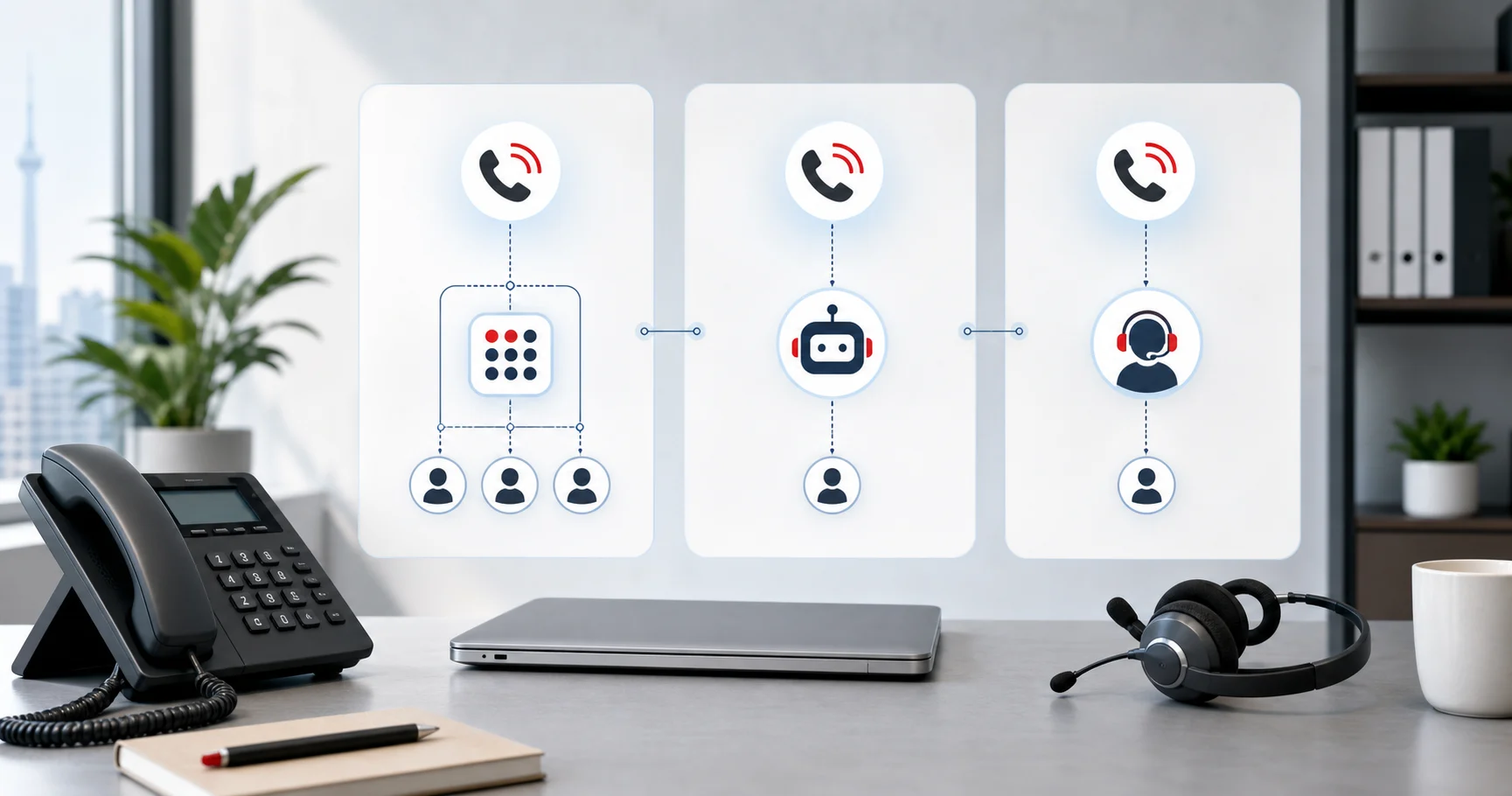
AI receptionist, auto attendant, and answering service are often used as if they mean the same thing. They do not.
For Canadian service businesses, the difference matters. One option routes callers through menus. One takes messages. One can answer questions, book appointments, text follow-up details, and route urgent calls.
This guide explains the difference so you can choose the right phone coverage.
Quick comparison
| Option | What it does | Best for | Main limitation |
|---|---|---|---|
| Auto attendant | Plays menu prompts and routes by keypress | Simple departments and extensions | Cannot hold a real conversation |
| Answering service | Human operators answer and take messages | Human-first call handling | Cost and consistency vary |
| AI receptionist | Conversational AI answers and takes action | Booking, FAQs, routing, after-hours, overflow | Needs setup and escalation rules |
What is an auto attendant?
An auto attendant is a phone menu. It usually says something like, “Press 1 for sales. Press 2 for support.”
It is useful when callers already know where they need to go. It is not useful when callers have open-ended questions, want to book, need service advice, or do not know which department fits.
Use an auto attendant when:
- You have clear departments
- Callers know who they need
- You only need routing
- You do not need answers, booking, or intake
Avoid relying on it when most callers are new prospects. A menu can feel like friction when someone is ready to book.
Where auto attendants fall short
Auto attendants are reliable because they are simple. That is also the problem.
They cannot:
- Ask follow-up questions
- Understand why the caller is calling
- Book an appointment
- Explain service fit
- Text directions
- Capture intake details
- Detect urgency beyond a menu choice
- Save a useful call summary
For internal routing, that may be fine. For lead capture, it is usually weak. A caller who does not know which option to press may choose the wrong one, wait, hang up, or call a competitor.
What is an answering service?
An answering service uses people to answer calls on your behalf. They may take messages, transfer urgent calls, follow a script, or book appointments if trained to do so.
Human answering works well when the call needs empathy or judgment. It can be expensive when volume rises, especially after hours or on weekends.
Use an answering service when:
- Every call needs a human tone
- Calls are sensitive or emotionally complex
- You have low call volume
- You are willing to pay for trained human coverage
Check pricing carefully. Per-minute billing can rise quickly when callers ask detailed questions.
Where answering services fall short
Human answering services can be helpful, but the model has limits.
Common issues include:
- Operators may not know your business deeply.
- Call quality can vary by person and shift.
- Booking may require extra setup or may not be available.
- Per-minute pricing can rise when calls get detailed.
- After-hours coverage may cost more.
- Call notes may live outside your phone and customer systems.
- SMS follow-up may require a separate process.
None of this means human answering is bad. It means you should compare the full workflow, not just whether a person answers.
What is an AI receptionist?
An AI receptionist is a voice AI system trained on your business. It answers calls conversationally and takes the next step.
It can:
- Answer FAQs
- Book appointments
- Take messages
- Qualify callers
- Route urgent requests
- Send SMS follow-up
- Save transcripts and summaries
- Keep customer history connected
Dialbox’s AI virtual receptionist is built for Canadian service businesses that need AI reception plus a business phone line, SMS/MMS, appointment booking, staff handoff, and customer history.
Where AI reception falls short
AI reception is not the right answer for every call.
You still need human escalation when:
- A caller is upset or distressed
- A regulated professional should answer
- The request is unusual
- The caller disputes a bill or decision
- The situation requires negotiation
- The caller asks for advice the AI should not provide
The best AI receptionist setups do not pretend otherwise. They use AI for repeatable front-desk work and send sensitive calls to people.
Where each option wins
Auto attendant wins on simple routing
If your only problem is getting callers to the right extension, an auto attendant may be enough.
Example: “Press 1 for the clinic. Press 2 for billing. Press 3 for directions.”
Answering service wins on human judgment
If your calls often involve distress, negotiation, or complex professional judgment, human coverage may be the right first layer.
Example: a caller who needs sensitive legal, medical, or financial guidance should be routed to a person.
AI receptionist wins on repeatable front-desk work
If callers need booking, service-area screening, hours, prices, intake, messages, or after-hours help, AI often wins.
Example: “Can I book a consultation next week?” “Do you serve Mississauga?” “Can you text me the address?” “Can someone call me back about an urgent issue?”
Canadian buyer checklist
Before choosing, ask how each option handles Canadian requirements.
| Requirement | Auto attendant | Answering service | AI receptionist |
|---|---|---|---|
| Canadian phone numbers | Usually | Usually | Should be included |
| English and French | Menu only | Depends on staffing | Should be testable |
| PIPEDA-conscious controls | Phone-system dependent | Provider dependent | Should be explicit |
| Appointment booking | No | Sometimes | Yes if configured |
| SMS follow-up | No | Sometimes | Should be included |
| Call summaries | No | Sometimes | Should be included |
| Customer history | No | Usually separate | Should connect |
| After-hours coverage | Menu only | Often paid | Usually included |
For Canadian service businesses, the key question is not “can it answer?” It is “can it complete the next useful step?”
What callers notice
Owners often compare phone systems by features. Callers compare them by effort.
An auto attendant asks the caller to decide where to go. That can be fine when the caller knows the department. It feels frustrating when the caller just wants help.
An answering service gives callers a human voice. That can feel reassuring, but only if the operator can do more than take a message.
An AI receptionist should reduce effort by understanding the request and moving it forward. The caller should not need to know your team structure, calendar rules, or routing rules.
The best option is the one that makes the next step obvious for the caller and clean for your staff.
Cost and coverage
| Factor | Auto attendant | Answering service | AI receptionist |
|---|---|---|---|
| 24/7 coverage | Yes, but menu-only | Often paid or limited | Usually included |
| Books appointments | No | Sometimes | Yes, if configured |
| Answers open questions | No | Yes | Yes, from your business knowledge |
| Handles multiple calls | Yes | Depends on staffing | Yes |
| Sends SMS follow-up | No | Rarely | Yes |
| Keeps customer history | No | Usually separate | Yes with Dialbox |
Dialbox Core starts at $129 CAD/month with 100 AI-handled calls. Plans use handled-call pools rather than automatic per-minute overages.
Example setups
Small clinic
A clinic may use AI reception for bookings, location questions, and after-hours messages. Calls asking for clinical advice should route to staff. An auto attendant alone would not book enough appointments. A human answering service might work, but cost can rise if many callers ask routine questions.
Home service business
A repair company may use AI reception to ask service area, issue type, urgency, address, and preferred time. Emergency calls can transfer to the on-call person. An auto attendant can route to departments, but it cannot collect job details. A human service can collect them, but may cost more during busy seasons.
Law firm
A law firm may use AI for intake and routing, while keeping legal advice with lawyers or trained staff. A human answering service may be a better fit for highly sensitive first calls. The best setup may be AI for routine intake plus human escalation for judgement-heavy calls.
The best setup can combine them
You do not always need to choose only one.
A strong Canadian service-business setup might look like this:
- Business phone line and staff extensions for regular team calling
- AI receptionist for unanswered calls, after-hours, booking, and FAQs
- Human transfer rules for urgent or sensitive calls
- SMS follow-up and customer history after every useful interaction
That is the Dialbox model: Business Phone, AI Virtual Receptionist, Appointment Booking, SMS, and customer memory in one system.
How to test before switching
Run the same five calls through each option if you can:
- A caller who wants to book.
- A caller who asks if you serve their area.
- A caller who needs urgent help.
- A returning customer asking for a staff member.
- A caller who asks a question the receptionist should not answer.
Then compare outcomes:
- Did the caller get the right next step?
- Was the experience fast?
- Did staff receive enough context?
- Was there a text confirmation?
- Did the system avoid overpromising?
- Was the cost predictable?
This will tell you more than a feature list.
Which should you choose?
Choose an auto attendant if routing is your only problem.
Choose a human answering service if calls need human judgment from the first sentence.
Choose an AI receptionist if you are losing routine calls to voicemail, need after-hours coverage, and want the call to turn into a booking, text, summary, or transfer.
For most Canadian appointment-based service businesses, AI reception with human escalation is the practical middle ground.
Compare AI phone answering in Canada, review Dialbox pricing, or start a 7-day trial with a credit card required.