
Slack
Send Dialbox call notifications, message alerts, and booking confirmations to Slack so your service team can review caller requests where it works.
Learn more
Keep using the tools your service business knows. Connect a supported calendar for booking or send reception details to your customer and team tools.
Credit card required. Cancel anytime.
Choose supported connections for appointment booking, caller records, and team notifications.
Connect a supported calendar so your receptionist can check availability and book during the call. Available actions depend on the provider and your configuration.
Use a supported CRM connection to share caller details and summaries. Check the fields and actions available for the provider you use.
Send reception information to supported team and data tools. Give staff the caller details they need before they respond.
Choose your provider and review its supported reception actions.
Send Dialbox call notifications, message alerts, and booking confirmations to Slack so your service team can review caller requests where it works.
Connect Odoo CRM with Dialbox to sync contact information and call records. Keep incoming service enquiries available for your team to review and follow up.
Connect HubSpot with Dialbox to sync contact information and call records. Keep incoming service enquiries available for your team to review and follow up.
Connect Google Sheets data to Dialbox using a configured source. Look up selected business records and control which information is available to your team.

Connect Airtable data to Dialbox using a configured source. Look up selected business records and control which information is available to your team.

Connect Notion data to Dialbox using a configured source. Look up selected business records and control which information is available to your team.

Connect Google Calendar to Dialbox for appointment calls. Check availability and create bookings with the caller details your service team needs.

Connect Microsoft Outlook to Dialbox for appointment calls. Check availability and create bookings with the caller details your service team needs.

Connect Calendly to Dialbox for incoming appointment calls. Check configured availability and create bookings with the caller details your service team needs.

Connect Square to Dialbox for incoming appointment calls. Check configured availability and create bookings with the caller details your service team needs.
Connect Acuity Scheduling to Dialbox for appointment calls. Check availability and create bookings with the caller details your service team needs.

Connect Monday.com CRM records and a configured booking board to Dialbox. Keep caller context and appointment requests available for your service team.
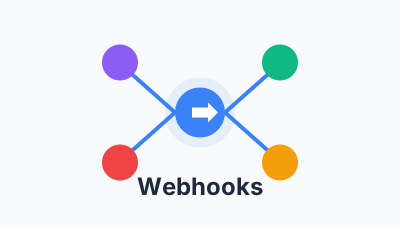
Send selected Dialbox contact, conversation, appointment, message, form, and transfer events to your own endpoint for service-team workflows.
Connect your AI receptionist to the calendars and tools your team already uses for booking, caller messages, and reception records.
Connect supported tools to share caller details and appointment information with the people handling the request.
Use supported notifications to see who called and what they needed. Your team can review the request before returning the call.
Share the available summary, contact details, or booking result through your configured connection.
Keep reception information available in the tools your team checks during the day.
Connect a supported tool and test the reception workflow before forwarding customer calls.
New Lead - Alex Morgan
(416) 555-0189 · 2 min call
AI Summary
Caller wants pricing, has questions about setup, and asked to book a consultation later this week.